公历农历,都不用自己换算Solar and lunar birthdays
按习惯记下阳历或农历生日,不用每年重新换算。不知道出生年份,也能记录。Keep birthdays in the calendar you use, without converting the date each year. You can save a birthday even if you don't know the birth year.
为在意的人,也为期待的事For people and occasions that matter
小惦记,记录生日、纪念日和倒数日,为在意的人和期待的事提前做些准备。Days in Mind keeps birthdays, anniversaries and countdowns together, so you have time to prepare for the people and occasions that matter.
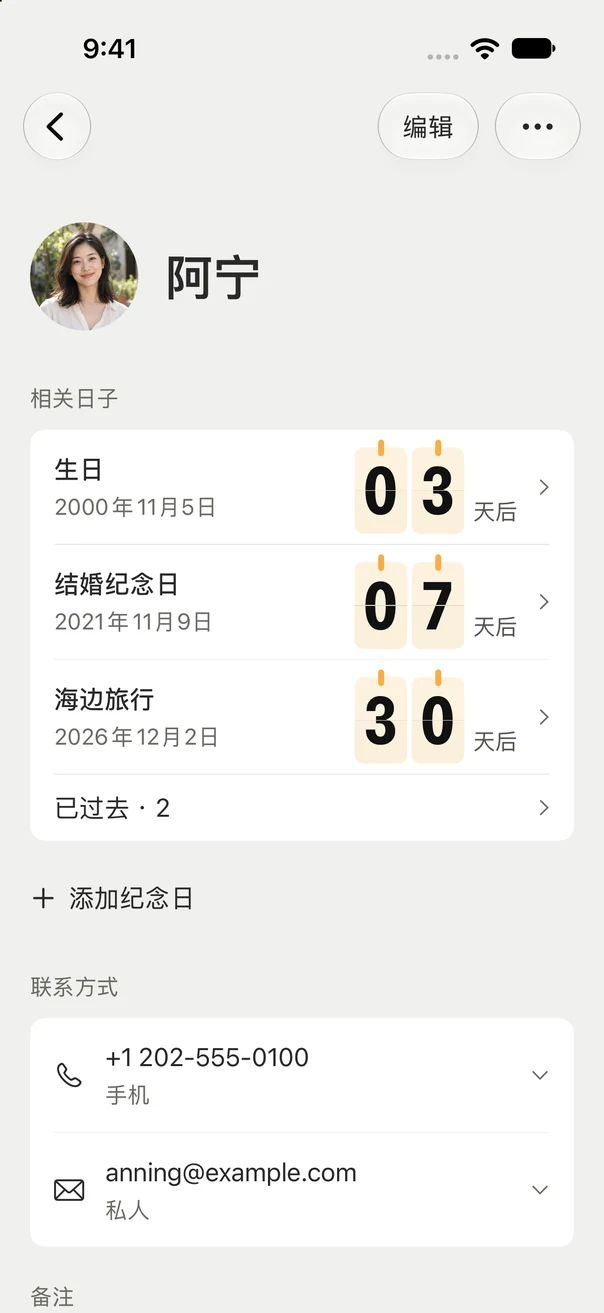
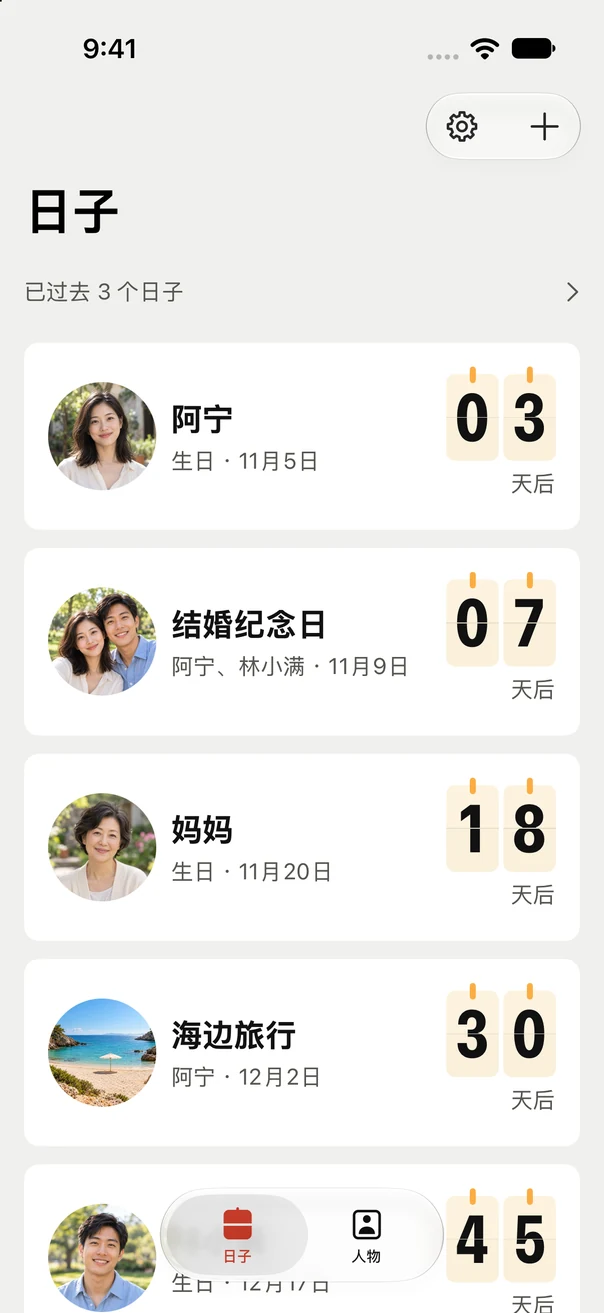
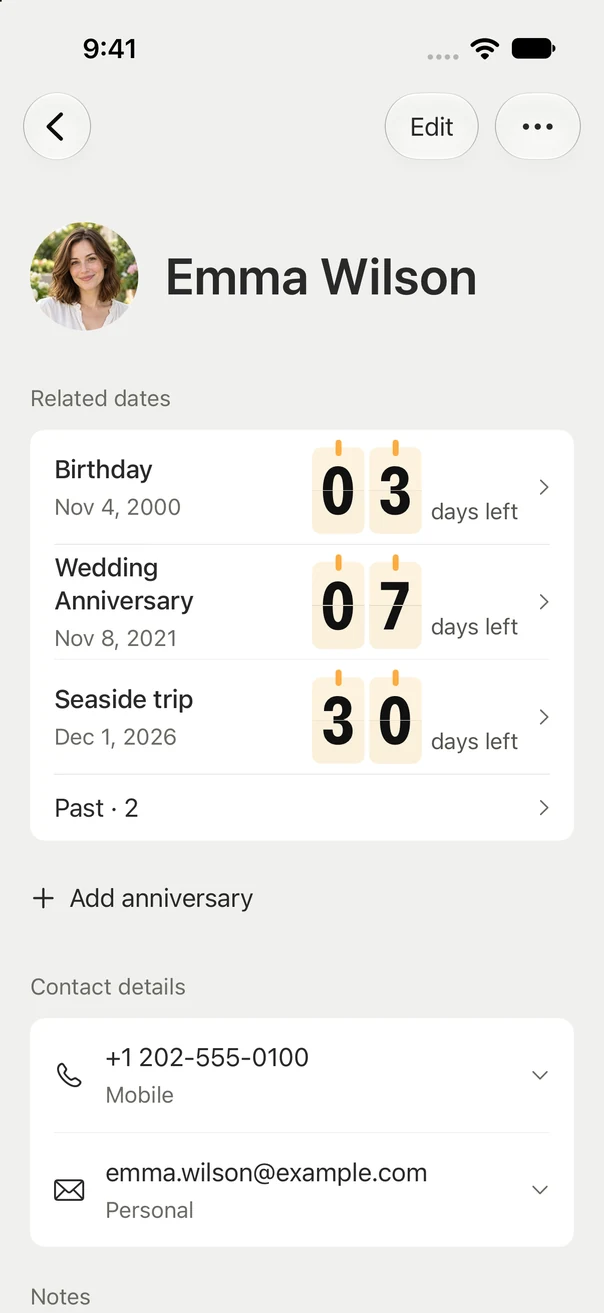
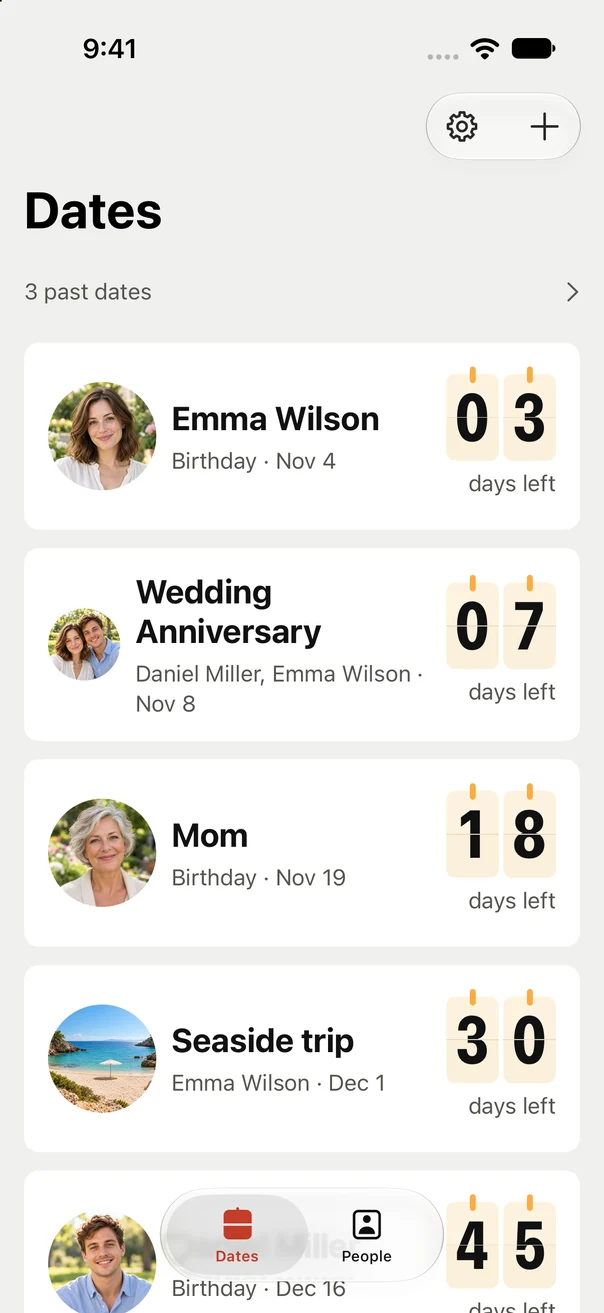
生日 · 纪念日 · 倒数日Birthdays · Anniversaries · Countdowns
家人的生日、两个人的纪念日、期待已久的旅行或聚会,都可以记在这里。A family birthday, an anniversary together, a trip or a get-together you've been looking forward to. Keep them in one place.
按习惯记下阳历或农历生日,不用每年重新换算。不知道出生年份,也能记录。Keep birthdays in the calendar you use, without converting the date each year. You can save a birthday even if you don't know the birth year.
提前 14、7、3、1 天和当天,按需多选提醒,为挑礼物、安排庆祝留出时间。Choose multiple reminders 14, 7, 3 or 1 day before, or on the day itself. Leave time for gifts and celebrations.
添加桌面小组件,不打开 App,也能看到下个生日、纪念日或倒数日还有几天。Add a small Home Screen widget to see how many days are left until your next birthday, anniversary or one-time date, without opening the app.
生日、相关纪念日和联系方式放在一起。通讯录可以一次选择多人,核对后导入;结婚纪念日只记一次,在两个人的资料里都能找到。Keep each person's birthday, related anniversaries and contact details together. Review and import several contacts at once. Add a wedding anniversary once and find it under either person.
生日和周年纪念可以每年提醒,旅行、聚会等倒数日也能只记一次。添上照片和备注,过去的日子也可以随时翻看。Remember birthdays and anniversaries every year, or count down to a one-time trip or get-together. Add photos and notes, and look back at past dates whenever you like.
打开就能开始记录,离线也能查看。支持导出备份,换手机时可从备份恢复资料。Start recording right away and view your dates offline. Export a backup and restore it when you change phones.
提醒需要允许通知,实际显示受设备通知设置、专注模式等系统条件影响。Reminders require notification permission. Delivery and presentation depend on device settings, Focus and other system conditions.

资料保存在本机,无需账号,没有广告或跟踪。通知与小组件默认隐藏日子名称,你可以在设置中分别调整显示方式。Your records stay on your device. No account, ads or tracking. Names are hidden in notifications and widgets by default, with separate display controls in settings.
技术支持与反馈Support & feedback
遇到问题、有功能建议,或想聊聊小惦记,欢迎来信。Have a question, a problem or an idea for Days in Mind? Send us an email.
feedback@xingchenyue.com请注明 App 版本、iPhone 型号、iOS 版本与操作步骤。截图请先遮盖姓名、电话等私人资料;无需发送完整备份。Include your app version, iPhone model, iOS version and steps to reproduce the issue. Hide personal information in screenshots. A full backup is not needed.
选择「添加纪念日」,填写名称,在日期页选择完整年月日,并将「重复方式」设为「仅这一次」。按需添加照片、备注和提醒,保存后就能在日子列表看到还有几天。日期过去后,也可以从历史中查找。Choose Add anniversary and enter a name. On the date screen, choose a full date and set Repeat to Once only. Add optional photos, notes and reminders, then save to see how many days are left in your dates list. You can find it in history after the date has passed.
先检查该日子是否选中了提醒日期和时刻,再打开 App「设置 → 提醒状态」,按页面提示允许通知或检查系统设置。同时查看 iPhone 的专注模式、通知摘要与声音设置。长期不打开 App 时,也建议定期打开,让后续提醒得到更新。Check that the date has a reminder day and time selected. In the app, open Settings → Reminder status and follow the guidance to allow notifications or check system settings. Also check Focus, Scheduled Summary and sound settings on your iPhone. Open the app periodically so upcoming reminders can be refreshed.
添加生日时,在日期页选择「农历」或「公历」。不知道出生年份,可以关闭「填写年份」,只保留月和日。纪念日需要完整年月日,并可选择「每年」或「仅这一次」。When adding a birthday, choose Lunar or Solar on the date screen. Turn off Include year if you only know the month and day. Anniversaries need a full date; choose Every year or Once only for Repeat.
在 App「设置 → 备份与恢复」中导出备份文件,并保存到自己信任的位置。新设备安装 App 后,在同一页面选择备份、核对并确认恢复。恢复会整体替换当前资料,不会逐条合并。小惦记目前不提供自动云同步。Open Settings → Backup & restore in the app, export a backup and save it somewhere you trust. On your new phone, select that file on the same screen, review it and confirm. Restoring replaces the current library; it does not merge records. Days in Mind does not currently offer automatic cloud sync.
不会。只有你在系统选择器中选中、核对并确认导入的资料才会存入 App。导入后在 App 内独立编辑,不读取系统联系人备注,也不会自动更新或写回通讯录。No. Only the contacts you select, review and confirm are saved in the app. Imported records are edited independently. The app does not read system contact notes, keep them in sync or write changes back.
名称默认隐藏。你可以在 App「设置 → 隐私」中分别调整「通知中显示日子名称」与「小组件中显示日子名称」。关闭后,新生成的提醒与组件内容将使用不含名称的展示;已送达的通知可在系统通知中心手动清除。Names are hidden by default. In Settings → Privacy in the app, control Show names in notifications and Show names in widgets separately. Turning these off hides names in refreshed widget content and newly generated reminders. You can manually clear already delivered notifications in Notification Center.